Original: $24.96
-65%$24.96
$8.74The Story
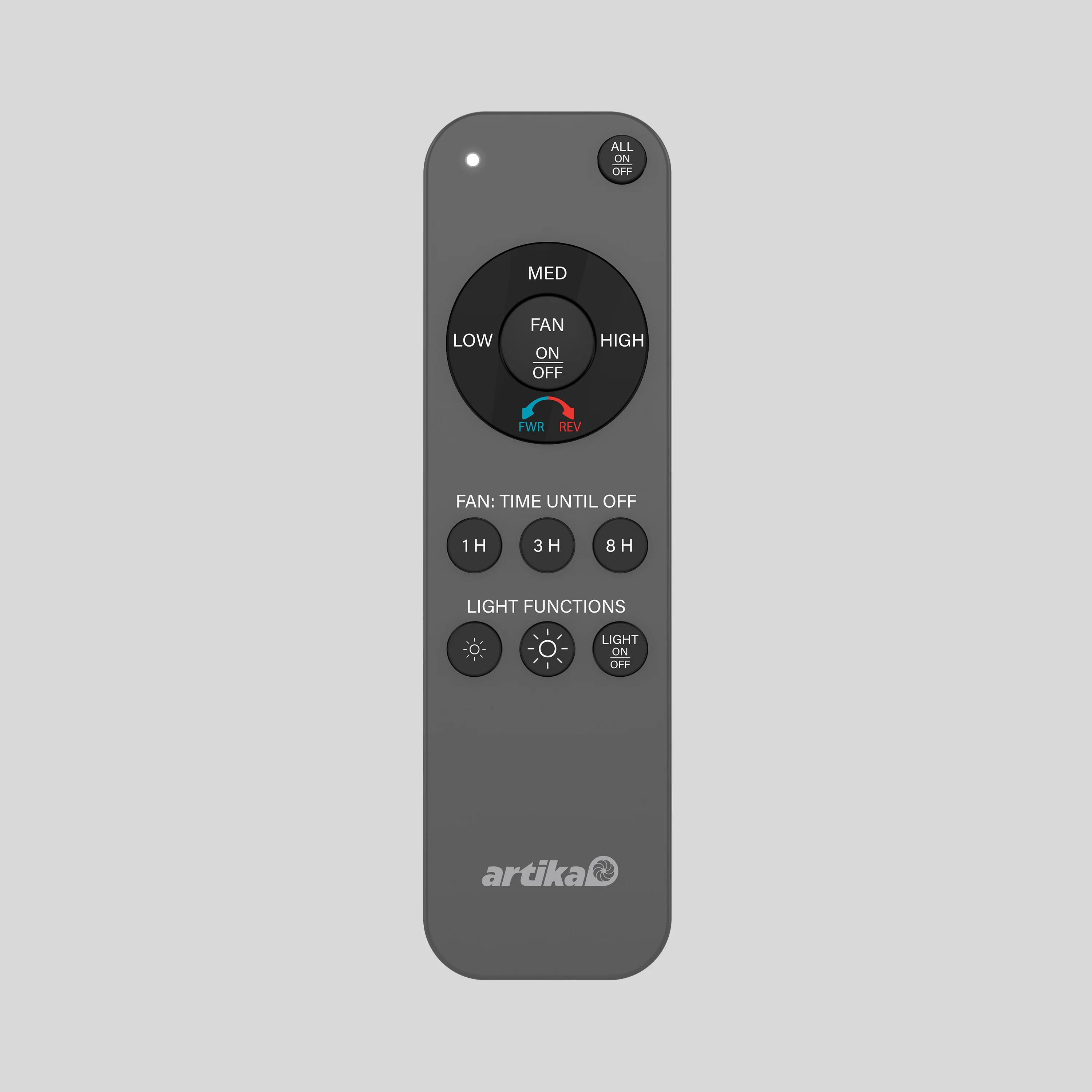
Easily replace a lost or broken remote with this replacement remote control designed exclusively for the Edwin Fan. Engineered for seamless compatibility, it allows you to adjust fan speed and lighting with ease. Keep an extra on hand for added convenience and ensure your Edwin Fan always delivers comfort at the touch of a button.
Note: This replacement remote is only compatible with the Edwin Fan and includes a 1-year warranty.
REMOTE CONTROL PAIRING/
UNPAIRING INSTRUCTIONS
1. Turn the fixture power off for at
least 10 seconds.
2. Turn the fan on. Press the
FAN ON/OFF button (no. 4) and
the LIGHT ON/OFF button (no. 2)
simultaneously within 10 seconds
of turning on the fan. You will hear
1 "beep" sound when the pairing is
complete, and 2 "beep" sounds when
the unpairing is complete.
3. If pairing/unpairing is not
successful, repeat the steps above.
Use one or two remotes to control
one or two fans.
Description
Easily replace a lost or broken remote with this replacement remote control designed exclusively for the Edwin Fan. Engineered for seamless compatibility, it allows you to adjust fan speed and lighting with ease. Keep an extra on hand for added convenience and ensure your Edwin Fan always delivers comfort at the touch of a button.
Note: This replacement remote is only compatible with the Edwin Fan and includes a 1-year warranty.
REMOTE CONTROL PAIRING/
UNPAIRING INSTRUCTIONS
1. Turn the fixture power off for at
least 10 seconds.
2. Turn the fan on. Press the
FAN ON/OFF button (no. 4) and
the LIGHT ON/OFF button (no. 2)
simultaneously within 10 seconds
of turning on the fan. You will hear
1 "beep" sound when the pairing is
complete, and 2 "beep" sounds when
the unpairing is complete.
3. If pairing/unpairing is not
successful, repeat the steps above.
Use one or two remotes to control
one or two fans.